
Menu
▾
▴

JPEG Ghost
Attachments
JPEGGhodt Usage.png
(18944 bytes)
sample-Ghost-95-24.jpg
(291067 bytes)
JPEG Ghost
JPEG Ghost analysis is a technique to enhance [double compression artifacts] cause by montages with different level of quantization in compression images.
This technique is only valid for images in quantized lossy algorithms such as JPEG
This technique was first proposed by Dr. Hany Farid in “Exposing digital forgeries from jpeg ghosts. IEEE transactions on information forensics and security, 2009.” In this technique a copy of an image is saved with reduced quality, and the square of the difference between the pixels of the lower quality image and the original image is computed.
High detailed areas and homogenous areas might have a very different error level that will cause trouble in the analysis. In order to compensate for these differences, we consider a [spatially averaged] and normalized difference measure. The difference image is first averaged across a b×b pixel region. This causes region with higher error level to be more highlight than areas with lower error.
Those spatially normalized areas (normalized area in pixels) are normalized again to values ranging from 0.0 to 1.0. And an RGB scale image is generate where values from 1.0 to 0.5 are plotted in a degrade from red to Green, and values from 0.5 to 0.0 are plotted in a degrade from green to blue.
According to [double compression artifacts] the closer the quantization of the lower quality image gets to a value q3 that will make the error in the original image be minimal, the higher the error will be for tampered parts of image.
Usage
When the plug-in is lunched, several parameters will be asked accordingly to the image below.
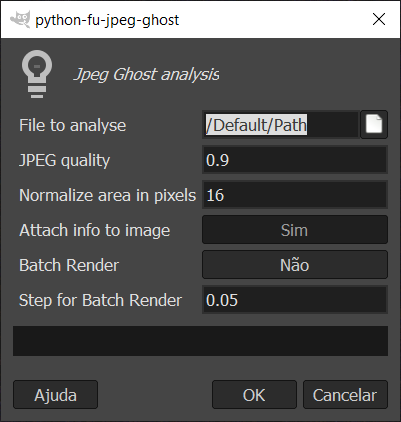
- File To analyze - The file with the tampered image
- Jpeg quality - The quality of resave image, in the case of batch render, this is the initial quality. This value must be between 0.01 and 1.0
- Normalized area in pixels - The area in bxb pixels for the spatially average.
- Attach info to image - Whether the information of the image should be rendered direct to the image. In this case the quality and normalized area in pixels parameters will be rendered in the image. This option is very interesting when doing a batch render
- Batch Render - Whether a batch render is to be performed. In a batch render all qualities of images are rendered between Jpeg Quality and 1.0.
- Step for Batch Render - in a batch render, the increment steps between the quality of each image is given by this parameter.
Batch render is especially interesting to make a search for possible values of quality resave that may reveal tempered regions of the image.
Examples of tampered image and JPEG Ghost Analysis.
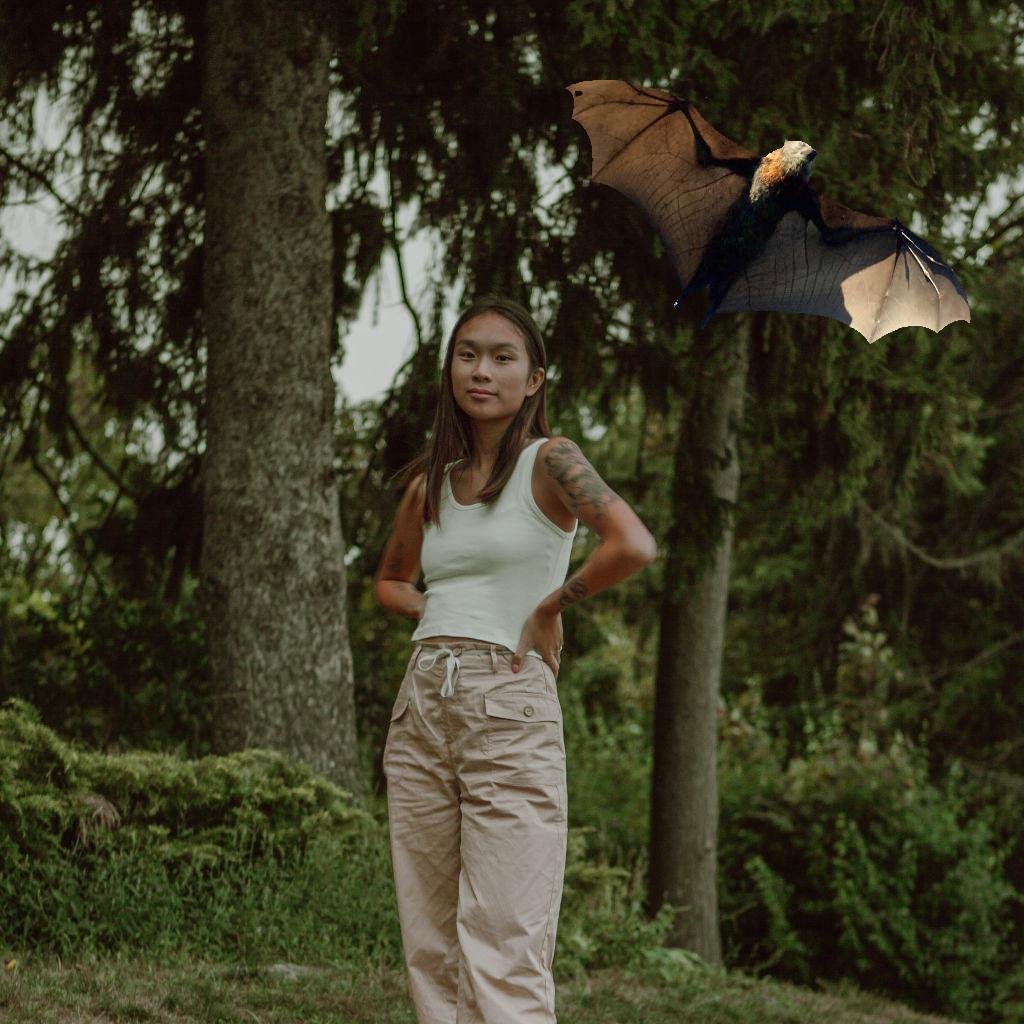
JPEG Ghost result
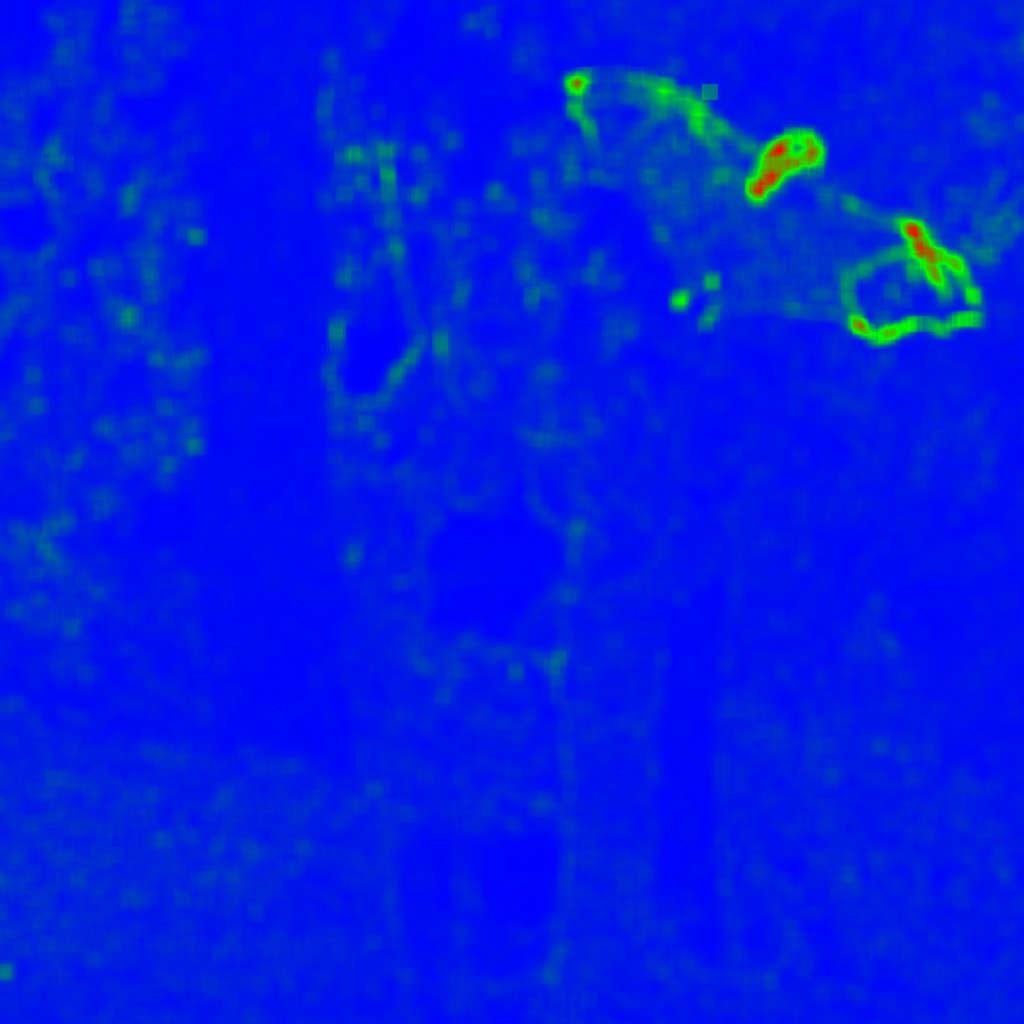
see the difference in error level between the bat region and the rest of the image.
In the next example a square in the middle of the image was cropped and resave with a lower quality, although the image is visually identical, this technique can clearly show the tampered region.


Caveats
All caveats listed in [double compression artifacts] apply to JPEG Ghost Analysis. When analyzing images with this kind of tool, the forensics investigator should take extra caution not to get trap in some pitfalls like error in Jpeg compression due to very homogeneous areas, that leads to false positives.
Related
Wiki: Error Level Analysis
Wiki: double compression artifacts


